Where every entity, officer, and shareholder lives.
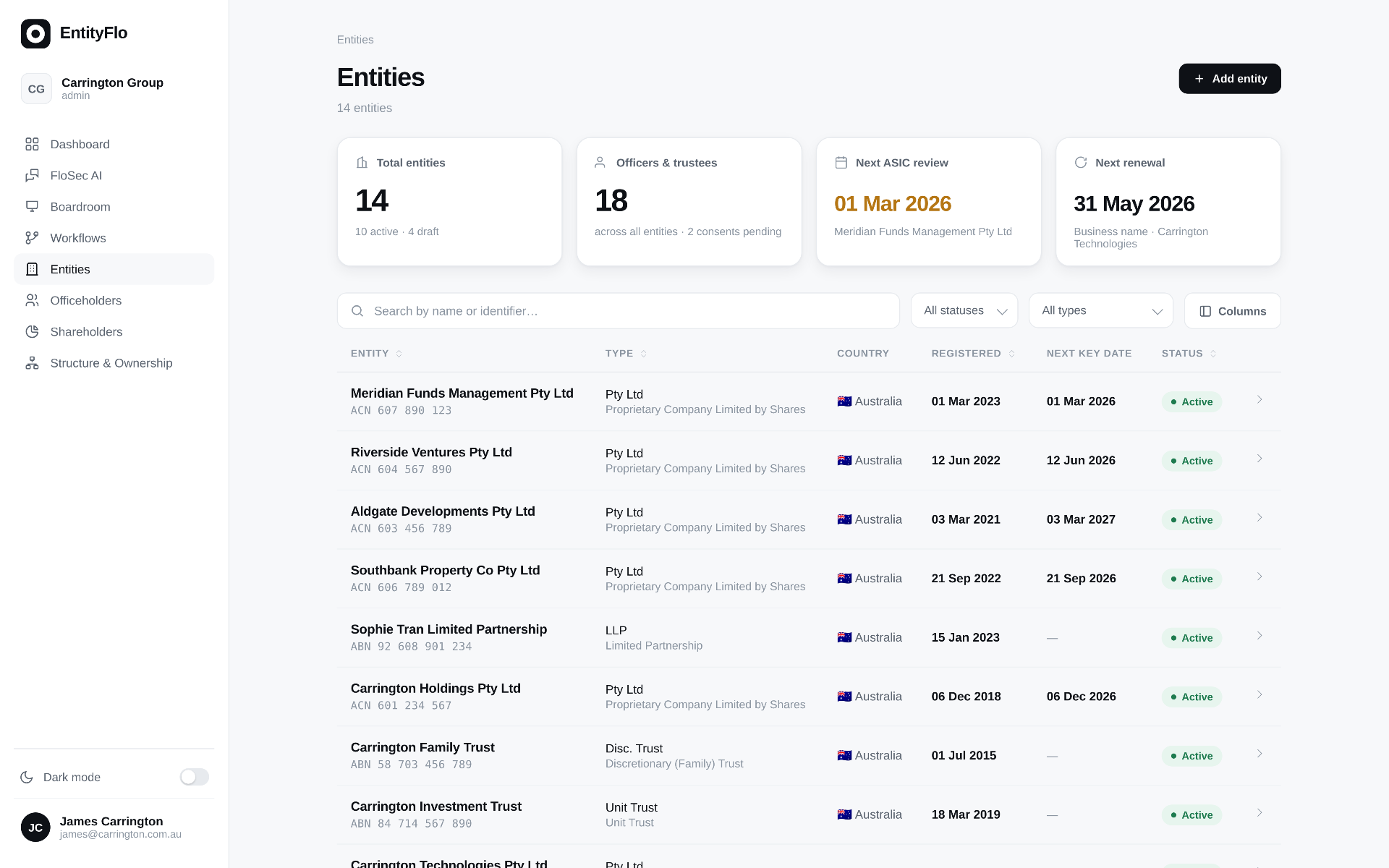
Every entity, every director, every shareholder, every key date — in one live register. No more chasing spreadsheets across shared drives. FloSec AI runs across the register, answering questions and surfacing risk in seconds.
Your first entity is free. No credit card required.
The gap between accountability and visibility.
Most CLOs and CFOs carry legal accountability for entities they can't actually see in real time. The information exists — it's scattered, stale, and sitting in someone's inbox.
It's in someone's head or inbox
The person who knows where everything is has taken leave. Or left. The "system" is a collection of individual memories and shared drives nobody has fully mapped. A simple question — "who are the current directors of this subsidiary?" — requires three calls and two emails.
You can't trust what you have
The register in your OneDrive might be current. It might be from six months ago. There's no way to know without calling someone. Officers change, addresses update, shares transfer — and none of it flows back to the master register automatically.
Gaps surface at the worst moment
During a transaction, an audit, or a lender request — that's when you find out a director resigned and nobody updated ASIC, or a registered address doesn't match what the bank holds. Clean-up at the eleventh hour costs more than it ever needed to.
New entities, new blind spots
Every new SPV or subsidiary is another obligation that needs tracking from day one. Most groups are running behind before they've even set it up — incorporated, shares issued, officers appointed, but nothing centralised and nothing connected.
See everything.
All the time.
One structured register for your entire group. Updated in real time. Always reconciled against ASIC. Always ready for a question, an audit, or a transaction.
Join BetaOne register for the whole group
Every entity — companies, trusts, LPs, SMSFs — in a single place. Structured by jurisdiction, linked by relationship. Every change made anywhere flows to the group register automatically. Nothing falls through the cracks.
Nothing gets lost when people leave
Every change is captured as it happens. Director appointments, share movements, address updates — timestamped and permanent. Corporate memory that belongs to the company, not the individual. Onboarding a new CoSec takes hours, not months.
Know who can sign for anything, instantly
Who is the current director of your Singapore subsidiary? Who has signing authority for the trust? Entity Register maps current and historical appointments across the group — so you always know who can bind each entity, and when their authority was granted.
Documents where they belong
Constitutions, trust deeds, and certificates linked directly to the entity they relate to. Find the entity, find the document. Every document attached to the record it governs — not buried in a folder structure no-one maintains.
Always reconciled against ASIC
Entity Register syncs directly with ASIC as a integrated ASIC partner. No manual cross-checking, no spreadsheet imports, no wondering if what you have matches what's registered. What EntityFlo shows is what ASIC has — every time.
Every data point your group needs, in one connected record.
Entity Register is the foundation every other EntityFlo module builds on.
Entity Register
Centralised register for every entity — companies, trusts, LPs, SMSFs, and foreign entities. Every field linked to ASIC or the relevant registry and always in sync.
Officers Register
Track all directors, secretaries, and officeholders — appointments, resignations, and full history. Know who can sign for what, and when their authority was granted or removed.
Shareholder Register
Full share register with issue history, transfers, and current holdings. Every allotment tracked with the resolution that authorised it — ASIC-ready at any time.
Multi-Jurisdiction
Manage entities across AU, NZ, and GB from one platform. Each jurisdiction has its own registry sync, filing rules, and compliance requirements — all handled automatically.
Key Dates & Obligations
Annual review dates, FY end, registration anniversaries, and renewal deadlines — surfaced automatically. Never miss a deadline buried in a calendar someone forgot to update.
Ask FloSec AI
"Who are the current directors of Beach Bum NZ?" "Which entities don't have a signed constitution on file?" FloSec AI knows every entity in your group and answers in seconds.
Entity Register is the foundation. Every module builds on top of it.
Once your entities are in, everything else connects automatically.
Take control of your
entity portfolio.
Your first entity is free. No credit card, no lock-in. Set up in under 15 minutes.
Entity Register
Every entity, officer and shareholder in one live register.
ExploreGovernance Workflows
From board decision to registered outcome. Every step tracked.
ExploreCompliance Engine
Continuous compliance monitoring across every entity.
ExploreStructure & Ownership
Live structure charts, ownership chains and UBO traces across the group.
ExploreBoardroom
Run board meetings, papers, resolutions and minutes from one place.
ExploreFloSec AI
Your AI Company Secretary across every record, action and obligation.
ExploreWe use cookies to improve your experience. Essential cookies are always active. You can accept all cookies or choose essential only.